

Sample Order

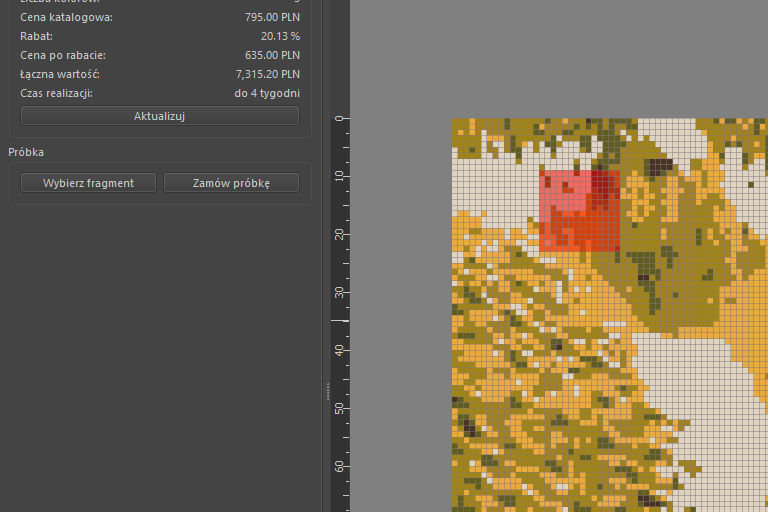
With the Trufle DIY tool, we offer the option to order a physical sample of your mosaic project, allowing you to see how your virtual design translates into a real-life version. This feature makes it easy to precisely select a portion of your project for a sample order.
How to Order a Sample?
1. Check the Type of Finish
- Before selecting the mosaic fragment, ensure that you’ve chosen the correct tile finish in the Project tab under Parameters. This is important because we will prepare the sample based on the selected finish option.
2. Select a Mosaic Fragment
- In the Order tab, click the Select Mosaic Fragment button to begin choosing the section of the mosaic you wish to order as a sample. A special layer will appear on the screen, highlighting the section of the project you want. The selected fragment will be the size of one full mosaic sheet (14 x 14 tiles).
- You can use the Move
 tool to adjust the selection and specify the exact part of the mosaic you’d like to order.
3. Order the Sample
- Once you’ve selected the desired fragment, click the Order Sample button.
- Krita will automatically create a product in our online store where you can place the order for the sample. If you prefer that an investor place the order, simply send them the product link.
4. Deactivate the Sample Layer
- When you’re not working with the sample layer, it’s a good idea to deactivate it to avoid accidental changes and keep your project clear.